
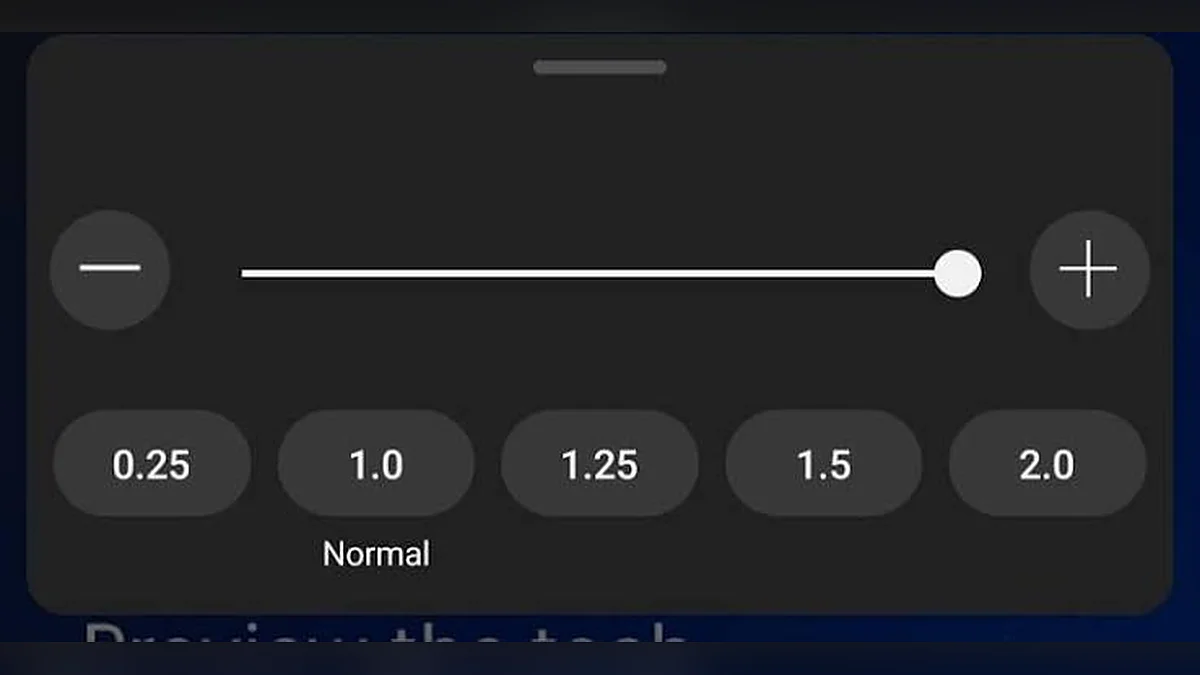
The “×” number is a simple multiplier. See exactly what 0.5×, 1× and 2× do to timing, frames and sound.
You have probably seen speed options like 0.5×, 1.25× or 2× in video players. They look simple, but people often wonder exactly what the numbers mean, what happens to the picture and sound, and why some speeds feel smoother than others. This guide explains playback speed in plain language.
What the "×" number means
Playback speed is a multiplier. It tells the player how many seconds of video to play for every real second that passes.
1× is normal
At 1×, one second of video plays in one second of real time. This is the speed the video was recorded or edited at.
Numbers above 1 are faster
At 2×, two seconds of video play in one real second. The video finishes in half the time.
Numbers below 1 are slower
At 0.5×, half a second of video plays in one real second. The video takes twice as long to watch.
How to calculate viewing time
Divide the video's length by the speed.
- A 10-minute video at 2× takes 10 ÷ 2 = 5 minutes.
- A 10-minute video at 0.5× takes 10 ÷ 0.5 = 20 minutes.
- A 10-minute video at 1.5× takes 10 ÷ 1.5 = 6 minutes 40 seconds.
Common speeds at a glance
| Speed | Name | 10-minute video takes |
|---|---|---|
| 0.25× | Quarter speed | 40:00 |
| 0.5× | Half speed | 20:00 |
| 0.75× | Three-quarter speed | 13:20 |
| 1× | Normal | 10:00 |
| 1.25× | Slightly fast | 8:00 |
| 1.5× | One and a half | 6:40 |
| 1.75× | Fast | 5:43 |
| 2× | Double speed | 5:00 |
| 3× | Triple speed | 3:20 |
| 4× | Quadruple speed | 2:30 |
What happens to the picture
A video is a sequence of still images called frames, typically 24, 30 or 60 per second.
When you speed up
The player shows the frames more quickly. If your screen cannot display them all, some frames are skipped. Movement looks faster, but each frame is still the original image.
When you slow down
Each frame stays on screen longer. A 30 frames-per-second video at 0.5× effectively shows 15 new frames per second, so motion can look less smooth. At 0.25× it shows about 7.5 new frames per second, which can look stepped.
Why high frame-rate videos look better slowed
A video recorded at 60 fps shows 30 new frames per second at half speed, which still looks smooth. That is why slow-motion cameras record at 120 fps or more.
What happens to the sound
The natural effect
Sound is a vibration. Playing it faster raises the frequency, so the pitch goes up. Playing it slower lowers the pitch.
Pitch correction in browsers
Modern browsers use time-stretching to change the length of audio without changing its pitch. This setting is called preservesPitch and is on by default. In the Video Speed Controller, it appears as Keep audio pitch natural.
Limits of time-stretching
Time-stretching works best at moderate speeds. At very slow or very fast speeds, voices can sound slightly robotic. Some browsers mute audio far outside normal speeds. For more detail, read why pitch changes when video speed changes.
Does playback speed change the file?
No. Playback speed is a viewing setting. It changes how the player presents the video, not the data in the file.
Playback speed vs exported speed
- Playback speed: temporary, instant, reversible, no new file.
- Exported speed: a new file re-encoded at a fixed speed, made in a video editor.
Is there a maximum or minimum speed?
Technical limits
Browsers accept a range of values for playbackRate, and the exact limits differ between browsers.
Practical limits
Beyond about 4× speech becomes impossible to follow, and below 0.25× most videos look like a slideshow. That is why the Video Speed Controller offers 0.25× to 4×, which covers almost every real use.
Choosing a speed for different purposes
Learning a physical skill
- 0.5× to follow along.
- 0.25× to study a key moment.
Learning a language
- 0.75× to catch more words.
- 1× to train your ear for real speech.
Watching lectures
- 1.25× to 1.5× for most recorded lectures.
- 1× for complex new material.
Reviewing recordings
- 1.5× to 2× for meetings and calls.
- 3× to 4× to search for a specific moment.
How to try different speeds
The best way to understand playback speed is to try it with your own video.
- Open the Video Speed Controller.
- Choose a video with someone speaking.
- Press play and click 0.5×, 1× and 2× in turn.
- Notice how the dial, readout and sound change.
- Use S and D to move in 0.10 steps.
Speed and accessibility
Slower for processing time
Some viewers need more time to process speech or read on-screen text. Slower playback can help.
Faster for screen-reader users
People who are used to fast synthetic speech often prefer faster video narration too.
Clear speed information
The tool shows the current speed as a number and in words, and announces changes to screen readers through a status message.
Common misunderstandings
"Slowing down makes the video higher quality"
No. Slowing down shows the same frames for longer; it does not add detail.
"2× halves the file size"
No. The file is unchanged. Only the viewing time is halved.
"All players handle speed the same"
Most web players use the same browser feature, but menus, presets and limits differ.
How playback speed works in a web browser
The video element
Web pages show video with an HTML5 video element. It has a property called playbackRate that sets the speed. The value 1 means normal, 2 means double speed and 0.5 means half speed.
Default speed
There is also a defaultPlaybackRate property. The Video Speed Controller sets both, so a newly loaded video starts at the speed you chose.
Speed change events
When the speed changes, the video element announces it with a ratechange event. The tool listens for this event and updates the readout, so the number you see always matches the real speed.
Fractional speeds and fine control
Why 1.35× is useful
Presets cover common speeds, but sometimes the perfect speed falls between them. 1.35× is slightly faster than 1.25× and noticeably slower than 1.5×.
How to set fractional speeds
- Drag the fine slider, which moves in steps of 0.05.
- Use S and D to move in steps of 0.10.
- Type any value from 0.25 to 4 in the Exact box.
Rounding
The tool rounds speeds to two decimal places, so 1.347 becomes 1.35.
Speed, frame rate and screen refresh
Frames per second
A video recorded at 30 fps contains 30 images for every second of action.
Screen refresh rate
Most screens refresh 60 times per second, and some refresh 120 times or more.
What this means for fast playback
At 2×, a 30 fps video needs 60 new frames per second, which a 60 Hz screen can show. At 4×, it would need 120 frames per second, so some frames are skipped on a 60 Hz screen. You still see the motion; it simply looks less smooth.
What this means for slow playback
At 0.5×, a 30 fps video shows 15 new frames per second. At 0.25×, it shows about 7.5 new frames per second. That is why high frame-rate recordings look better when slowed.
Speed and subtitles
Subtitles follow the video
Subtitles stay in sync because they are timed against the video, not the clock. At 2×, subtitles change twice as fast.
Reading speed
At high speeds, subtitles may change too quickly to read. Lower the speed if you rely on subtitles.
Speed and time display
Video time vs real time
The time display in the player shows the position in the video, not the time you have spent watching. At 2×, the video time moves forward two seconds for every real second.
Estimating remaining viewing time
Remaining viewing time equals remaining video time divided by speed. With 30 minutes left at 1.5×, you will finish in 20 minutes.
Speed in different contexts
Live video
Live streams usually cannot be sped up beyond the live point, because the future has not been broadcast yet.
Downloaded and local files
Local files can be played at any supported speed, because the whole file is available.
Video calls
Live video calls play in real time and cannot be sped up or slowed down by the viewer.
A worked example
Imagine a 45-minute recorded presentation.
At normal speed
At 1× it takes 45 minutes to watch.
At 1.5×
45 ÷ 1.5 = 30 minutes. You save 15 minutes.
At 0.75× for one difficult section
If one 6-minute section is hard to follow, watching it at 0.75× takes 8 minutes. If you watch the rest (39 minutes of video) at 1.5×, that takes 26 minutes. Total: 34 minutes, still 11 minutes less than watching everything at 1×, with better understanding of the hard part.
The lesson
Changing speed during a video often gives better results than choosing one speed for the whole thing.
Glossary of playback speed terms
- Playback rate: the speed multiplier used by the player.
- Normal speed: 1×, the original timing.
- Slow motion: playback slower than 1×, often of high frame-rate footage.
- Fast forward: playback much faster than 1×, usually to find a moment.
- Time-stretching: changing audio duration without changing pitch.
- Frame rate: number of images per second in the video.
- Re-encoding: creating a new video file, for example at a fixed new speed.
Why the tool shows two decimal places
The readout always shows speed with two decimals, such as 1.00× or 0.75×. This keeps the number the same width as it changes, so it does not jump around on screen, and it makes fine values such as 1.35× easy to read. Tabular numerals are used for the same reason: every digit takes the same space.
Playback speed and the human ear
How fast people speak
Conversational speech often runs at roughly 120 to 160 words per minute, depending on the speaker and language. Many listeners can follow faster speech, especially in their first language.
What speeding up does to words per minute
At 1.5×, a speaker talking at 140 words per minute is heard at 210 words per minute. At 2× it becomes 280. That is why 1.5× often feels comfortable but 2× can feel demanding.
What slowing down does
At 0.75×, the same speaker is heard at 105 words per minute, which gives language learners and careful listeners more time.
Key takeaways
- The × number is a multiplier of normal speed.
- Viewing time equals length divided by speed.
- Frames are the same; only their timing changes.
- Browsers keep voices at natural pitch by default.
- The file itself never changes.
Frequently asked questions
What does 1.25× mean?
The video plays 25% faster than normal. A 60-minute video takes 48 minutes.
Is 0.5× the same as slow motion?
It is slow playback. True slow motion is usually recorded at a high frame rate so it stays smooth when slowed.
Why does 0.25× look jerky?
The original video may not have enough frames per second for smooth motion at that speed.
Is 1.5× the same as 150%?
Yes. 1.5× means 150% of normal speed.
What is the difference between 0.5× and 50%?
There is no difference. Both mean half of normal speed.
Why do some players use steps of 0.25?
It keeps menus short. The Video Speed Controller adds a fine slider and an exact field for values in between.
Does speed affect volume?
No. Speed and volume are separate controls.
Can I go between preset speeds?
Yes. The fine slider moves in 0.05 steps and the Exact box accepts any value from 0.25 to 4, so speeds such as 1.15× or 0.85× are easy to set.
Does every browser use the same speed range?
No. Browsers allow different technical ranges. The tool limits speed to 0.25×–4× so it behaves consistently and keeps audio available in current browsers.
Summary
Playback speed is a simple multiplier: above 1 is faster, below 1 is slower, and 1 is normal. Viewing time equals length divided by speed. The picture uses the same frames, the browser keeps voices natural, and the original file never changes. Try it yourself in the Video Speed Controller.
Try it with your own video – nothing is uploaded.
Open the Video Speed Controller